Getting started
This page takes you from zero to a generated .docx and .pptx in a few minutes — first with the library, then with the CLI, then in the visual playground. Node 20 or later is required.
Install
pnpm add @json-to-office/json-to-docx @json-to-office/json-to-pptxInstall only the package for the format you need — they are independent.
Your first DOCX
import { generateAndSaveFromJson as docx } from '@json-to-office/json-to-docx';

await docx(
  {
    name: 'docx',
    props: { theme: 'minimal' },
    children: [
      { name: 'heading', props: { text: 'Q1 Report', level: 1 } },
      {
        name: 'paragraph',
        props: { text: 'Revenue grew **32%** quarter-over-quarter.' },
      },
    ],
  },
  'report.docx'
);
Open report.docx in Word: a themed heading and a paragraph with real bold text (**32%** is markdown-style emphasis, parsed by the paragraph component). The theme: 'minimal' prop applies one of the built-in themes — swap it for consulting, devportal or vermilion and regenerate to restyle the whole document without touching content. See Themes & styling.
Your first PPTX
import { generateAndSaveFromJson as pptx } from '@json-to-office/json-to-pptx';

await pptx(
  {
    name: 'pptx',
    props: { theme: 'dark', grid: { columns: 12, rows: 6 } },
    children: [
      {
        name: 'slide',
        props: { background: { color: 'background' } },
        children: [
          {
            name: 'text',
            props: {
              text: 'Q1 Results',
              style: 'title',
              grid: { column: 0, row: 0, columnSpan: 12 },
            },
          },
          {
            name: 'chart',
            props: {
              type: 'bar',
              data: [
                {
                  name: 'Revenue',
                  labels: ['Q1', 'Q2', 'Q3', 'Q4'],
                  values: [1.2, 2.4, 3.1, 4.2],
                },
              ],
              grid: { column: 0, row: 1, columnSpan: 8, rowSpan: 5 },
            },
          },
        ],
      },
    ],
  },
  'deck.pptx'
);
Two things to notice:
- Elements are positioned on a grid (here 12 columns by 6 rows) instead of absolute coordinates — the
gridprop on each component says where it goes. See Slides & grid. - The
chartcomponent produces a native, editable PowerPoint chart, not an image. Nine chart types are available. See PPTX charts.
Generating from the command line
If your document JSON lives in a file (exported from a database, emitted by an LLM, checked into a repo), you don't need to write any code. Install the CLI globally:
pnpm add --global @json-to-office/jtoThen generate directly:
jto docx generate ./my-template.json -o ./report.docx
jto pptx generate ./my-template.json -o ./deck.pptx
Two CLIs
@json-to-office/jto is the full toolkit: CLI plus a local dev server and visual playground. For CI and scripted pipelines that don't need the playground, install the lean @json-to-office/jto-cli instead (jto-cli docx generate doc.json) — same generate / validate / schemas / discover / init / fonts commands, about 16 dependencies instead of about 70. See the CLI guide and CLI reference.
Try the playground
The fastest way to explore what's possible is the visual playground — a Monaco editor with JSON autocomplete and validation, live preview, built-in templates, and theme switching.
Hosted, no install:
Locally, with the jto CLI you installed above:
jto docx dev   # playground at http://localhost:3003
jto pptx dev   # playground at http://localhost:3004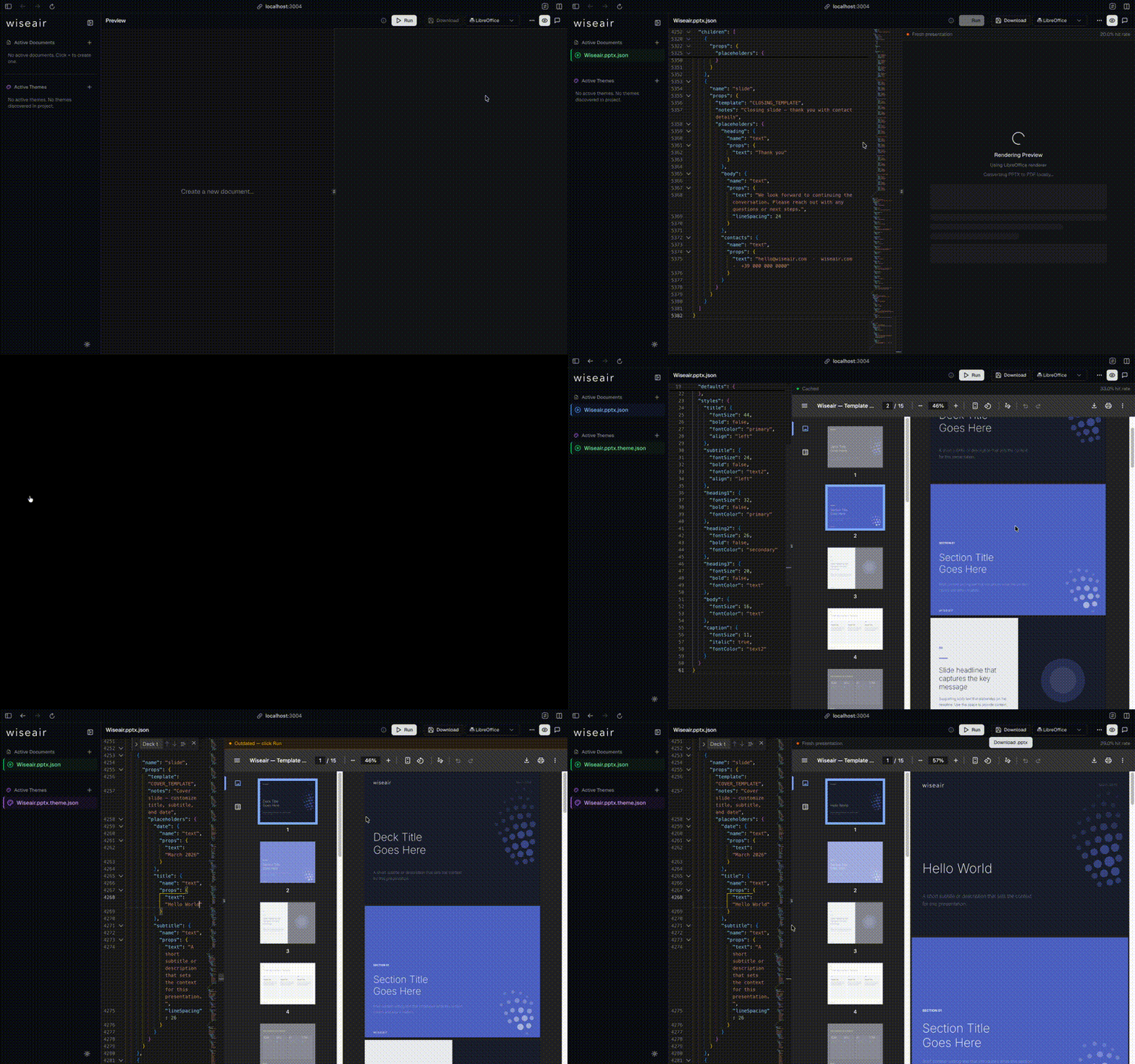
The playground validates your JSON against the full schema as you type, so it doubles as an interactive reference for every component and prop. See the Playground guide for the AI assistant, high-fidelity PDF preview, and more.
Where to go next
- Core concepts — the component tree model shared by both formats.
- Writing DOCX and Writing PPTX — format-specific guides.
- DOCX document reference and PPTX presentation reference — every prop, exhaustively.
- Examples — complete, runnable document definitions.
- LLM integration — schema-constrained document generation with language models.